$ cbzit
Folders of pages in, clean CBZ out.
A zero-config CLI for manga & comics. Smart scan, dry-run report, confirm, build — your originals are never touched.
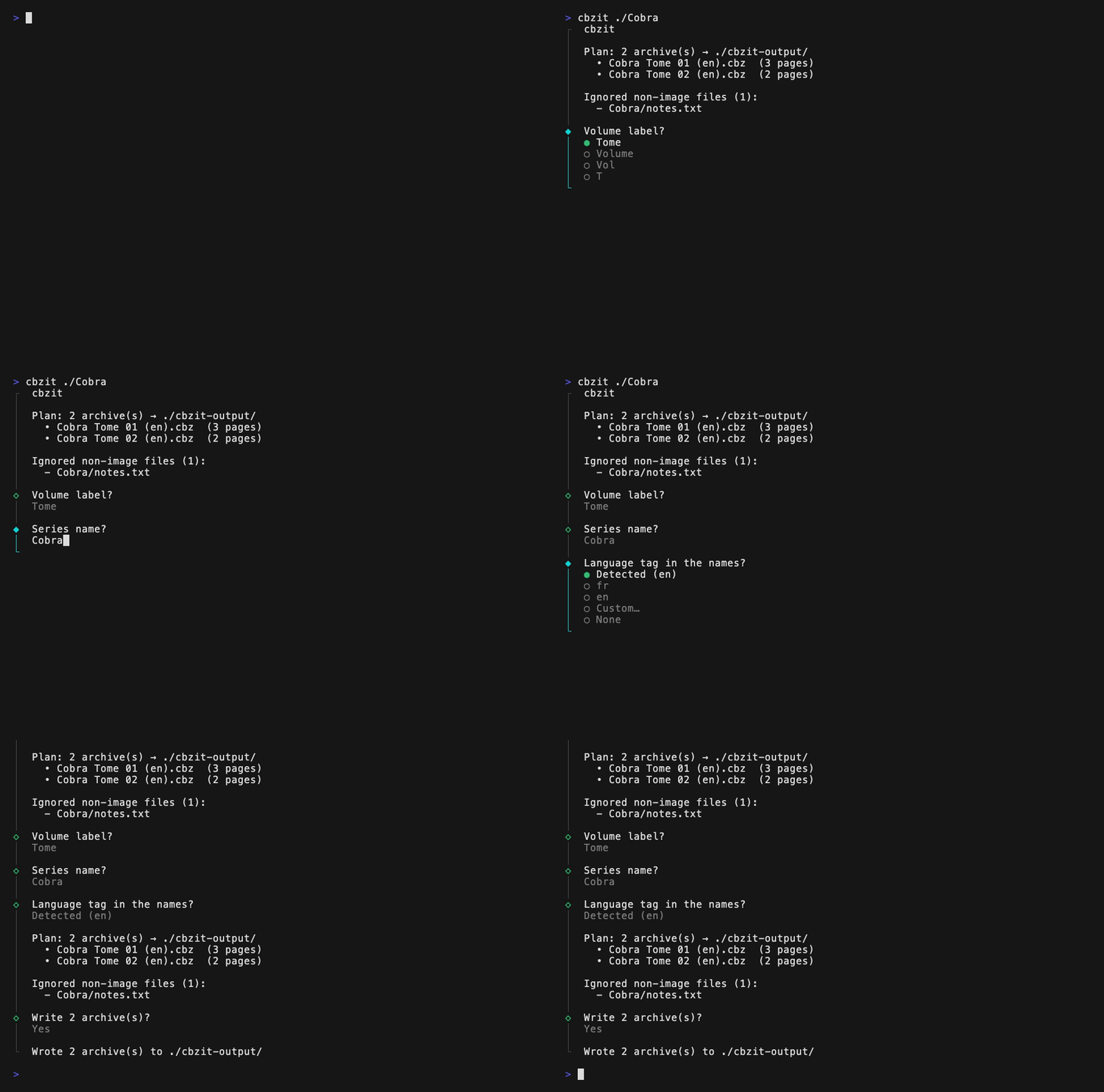
why cbzit
Dry-run first
The full plan — every archive name, every page count — is printed before a single byte is written. You confirm, it builds. Nothing else.
Originals never touched
Input folders are read-only territory. Everything lands in its own output directory
(-o to choose where).
Smart structure detection
Series, volumes, chapters, languages and titles are parsed out of messy real-world
folder names — Vol.01 Ch.0003, Cobra_01,
T2 - some title, (fr-en)…
Lossless by design
Duplicate chapters are kept as Ch001-2, name collisions renamed, and
every ambiguity becomes a visible warning — never a silent guess, never a dropped
page.
Sort-safe naming
Alphabetical order always equals reading order — zero-padding adapts to the series (a
112-volume run gets Tome 001…Tome 112).
merge subcommand
A pile of chapter .cbz files becomes per-volume archives — with a size
guard so you don't build a 3 GB brick by accident.
commands
# scan a folder, review the plan, build volume CBZs
cbzit <dir>

# consolidate chapter .cbz files into volume .cbz files
cbzit merge <dir>

Options:
  -o, --out <dir>   output directory (default: ./cbzit-output)
  -y, --yes         accept the detected plan without prompts
  -h, --help        display help for command
naming scheme
Cobra Tome 01.cbz
Solaris Tome 16 (fr-en).cbz
X Tome 01 - This is the title.cbz

# and inside each archive:
Cobra - Vol01 - Ch001 - p001.jpg
Cobra - Vol01 - Ch001 - p030-031.jpg   # double pages kept
Cobra - Vol01 - Ch001-2 - p001.jpg     # duplicate chapter, kept apart